Sunday, July 12, 2009

Friday, July 3, 2009
012 - Wishes for a folding editor (2)
This blog has been moved to http://www.teigfam.net/oyvind/home/technology/060-wishes-for-a-folding-editor/ in January 2013.
That page also includes how to run winf32 on Apple OSX on the free WineApp (Wine) emulator, using free X11 (XQuartz), rendering Parallels and Windows not necessary (added january 2013)
That page also includes how to run winf32 on Apple OSX on the free WineApp (Wine) emulator, using free X11 (XQuartz), rendering Parallels and Windows not necessary (added january 2013)
Tuesday, April 7, 2009
011 - When is my mail really outgoing?
I would like to know about outgoing mail
I have this interesting case that when I am a visitor I am not allowed to send outgoing mail with my mail client (Mac OS X Mail 2.1.3), but I am with my iPhone (any version, including 3.1.2 October 2009). Both, over the local wireless network at the places we visit.
Disclaimer: sending and receiving mail with a net browser it not the theme of this post. That always works, from any location. I guess - since I am a known user.
Also, if I try sending mail from an iPod under these circumstances, I am neither allowed. With same mail set-up as the iPhone (iPod any version, including 3.1.2 October 2009).
At home
There, the outgoing mail server is smtp.online.no. All users of the wireless which uses that server with my name and password could set up their clients to send in my name. All machines on the net, including iPhone.
Visiting
The network at a friend we often see has smtp.bostream.nu as outgoing mail server. Since I want to send as myself, I have not asked for the friend's log-in details. So, Mail "refuses" me do send over that server, and trying to use the same set-up as at home it refuses me to send over smtp.online.no. I guess it's because the latter server knows the ip address or network provider I use, and then it knows who is sending: it's me, at home, I have paid for the connection: all is well. So, it's not Mail that "refuses", it merely reflects the outgoing mail servers' responses.
My queries
But why am I allowed to send via the visiting wireless from my iPhone (and neither iPod nor Mail)?
Observe that I have told the iPhone not to use the telephone connection by giving it a rubbish APN name - and configured the iPhone so that the telephone provider's server is second to the wifi server. I can see on the mail I this way am able to send from the iPhone that it's routed from bostream's dsl.bredbandsbolaget.se directly to my mail address's incoming server at start.no. My iPhone telephone provider does not seem to be in the expanded mail heading anywhere.
What are the (protocol) mechanisms?
Apple support discussion
I have posted a copy of this post at http://discussions.apple.com/thread.jspa?threadID=1969325&stqc=true
Wednesday, March 18, 2009
010 - A running Promela model
Why does this code run and don't deadlock?
mtype = {M_UP, M_DW};
#define LEN 0
chan Chan_data_down = [LEN] of {mtype};chan Chan_data_up   = [LEN] of {mtype};
proctype P1 (chan Chan_data_in, Chan_data_out){    do    ::  Chan_data_in  ? M_UP -> skip;    ::  Chan_data_out ! M_DW -> skip;    od;};proctype P2 (chan Chan_data_in, Chan_data_out){    do    ::  Chan_data_in  ? M_DW -> skip;    ::  Chan_data_out ! M_UP -> skip;    od;};
init{ atomic { run P1 (Chan_data_down, Chan_data_up); run P2 (Chan_data_up, Chan_data_down); }}Sunday, March 15, 2009
009 - The "knock-come" deadlock free pattern
Here 15Mar2009 to 22May2026. Now at https://www.teigfam.net/oyvind/home/technology/009-the-knock-come-deadlock-free-pattern/
Sunday, March 1, 2009
008 - Safari oblivion - Firefox to the rescue
I did something legal and lost both new and old Safari
Today (March 1st 2009) I downloaded Safari 4.0 beta for Tiger, to run on the iMac G4 (800 MHz) and iBook G4 (1.33 GHz) - both running Tiger 10.4.11 and security update 2009-001.
The conclusion now is that the on both machines, I have no working Safari browser! The beta crashed on both machines, and the old Safari did not work on either - I started Firefox and downloaded Safari 3.2.1 for Tiger to be reinstalled.
The good tip is to have more than one browser installed on your machine! Should the browser you updated fail, you'd have an easy road to the net. (There is ftp on any machine, to download new versions, or you would have more than one machine or friends with machines, and a memory stick..)
Safari.crash.log
See next - Safari discussion group:
Today (March 1st 2009) I downloaded Safari 4.0 beta for Tiger, to run on the iMac G4 (800 MHz) and iBook G4 (1.33 GHz) - both running Tiger 10.4.11 and security update 2009-001.
The conclusion now is that the on both machines, I have no working Safari browser! The beta crashed on both machines, and the old Safari did not work on either - I started Firefox and downloaded Safari 3.2.1 for Tiger to be reinstalled.
The good tip is to have more than one browser installed on your machine! Should the browser you updated fail, you'd have an easy road to the net. (There is ftp on any machine, to download new versions, or you would have more than one machine or friends with machines, and a memory stick..)
Safari.crash.log
See next - Safari discussion group:
This note at Safari discussion group
I have added this note to the Safari discussion group at Apple's site. Some quite good comments there: http://discussions.apple.com/thread.jspa?messageID=9084774�
I have added this note to the Safari discussion group at Apple's site. Some quite good comments there: http://discussions.apple.com/thread.jspa?messageID=9084774�
Solution
1.) Delete the Safari.app (it's probably a mix of 3.2.1 and 4.0 beta?)
2.) restart the machine
3.) install with Safari3.2.1Ti.pkg (downloaded with Firefox)
4.) run it for a day, install another browser, then go ahead with Safari 4.0 beta
Cause of problem - and a suggestion for Apple
Prior to installing the 4.0 beta I had moved the original Safari.app to a subdirectory and even renamed it. The Installer got confused - without warning me and do appropriate action - and the unInstaller also got confused (see Apple discussion thread).
Apple should enhance their install software (script) not to err (so fatally for some who would not have an alternative browser) - since it's completely legal to move and rename applications.
Sunday, February 22, 2009
006 - Preferential programming versus me
This post is in work
My goal with this post is to try to position paper [1] and [2] and my own programmer's life, perhaps with the table below. The table may be removed later, right now I will see if it helps me even writing this post.
References[1] - Epistemological Pluralism and the Revaluation of the Concrete Sherry Turkle and Seymour Papert
http://www.papert.org/articles/EpistemologicalPluralism.html [2] - On the difference between analysis and design, and why it is relevant for the interpretation of models in Model Driven Engineering Gonzalo Génova, María C. Valiente and Mónica Marrero
http://www.jot.fm/issues/issue_2009_01/column7/ [3] - Epistemology http://en.wikipedia.org/wiki/Epistemology ... ...
| (un)real disagreement | ||||
| I prefer | Why? | ! | Why not? | |
| Why not? | Why? | They don't prefer | ||
| Doesn't interest me | Why? | agreement | Why not? | |
| Why not | Why? | Doesn't interest them | ||
| I don't prefer | Why? | ¡ | Why not? | |
| Why not? | Why? | They prefer | ||
| (un)real agreement | ||||
References
http://www.jot.fm/issues/issue_2009_01/column7/
Monday, February 9, 2009
005 - Press '?' for help, press '!' for new idea
This post is a copy of a the initial (27Aug08) version of a note that was first published at the "Designer's Notes" at my home page (press picture on top of this page..).
..or right at http://www.teigfam.net/oyvind/pub/notes/17_Innovating_in_a_window.html
----- copy begin -----
Innovating in a window ("winnovating")Always present '?' is for help, but why isn't '!' also always there?Online help systems [1] have been at our fingertips for many years. I remember, back in the early 1990's that we started to use a "help editor" to create a "help" for the Windows systems that we shipped to customers. The systems were clients, doing man-machine communication, with buttons and menues, and nice curves of pressure samples from rotating diesel engines. The embedded data collecting and computing units were mounted in the ships' engine rooms, while the PCs were in the engine control room. And, the intricacies of the system were detailed for the user, available by pressing the ? question mark button. The help was context sensitive, so that one should get the info needed right then. Not more, not less.Over the years, we have become accustomed to a computer based unit's context sensitive help system, whenever there's knowledge to reach for.But, how about the opposite? Some new idea or additional information, some small or large innovation we want to jot down, now! The other direction from the help system, so to say, seen by an ! exclamation mark.Implementing such an exclamation mark would be difficult. It would contain tools, complex logistics and legal matters. At least the suggestion outlined here.We talk about context sensitive innovation "in a window". Cast in an idea-editor, especially made for the purpose. More that the "send us feedback" menu entry often found.When we have jotted down the idea, we would need to store it. An idea-server would handle this for us. It would store the idea where it's supposed to. Like, on my local machine.Or, you may want to send this idea to the maker of the product or anyone who could handle it.Sending off good ideas right now is a black hole. The recipient could wrap the idea to oblivion. Therefore, we need an idea-agency or idea-bank, a public and safe place where the idea may be posted. The service should be free, since an agency would get neutral money. The people has understood that it's for the best of all, to have an idea-boiling society.Now, when a user is able to take advantage of the idea, its source is cast in iron. It's me, and it's my idea that's used. For the user of the idea, "not invented here" could become an asset. "Idea! inside" labeled on the product could display this. People would love these products.And the user would easily find ideas, through some kind of global idea-portal.The system should be able to inspire any small or big idea. Jot them down, send them, cast them in iron. And idea-sense would collect money for used (and browsed) ideas.Of course, this would be sitting above the world's patent system (or..below?), like PayPal uses the banking system to make it easier for the payer.Did I say that the idea-bank should have an idea-server to handle new ideas coming from reading another person's idea? Stored locally at my machine only, or sent externally to the idea-bank.. So, idea-branching should be catered for. Ideas seldom appear in vacuum. Is an idea the most recursive cognitive pattern in the universe?Humankind certainly needs to come up with some new ideas. We can't afford to waste one of them!Except some, that would not serve us..---This naive set of ideas I have never seen before. I have made a pdf of the original version of this file at 17_Innovation_in_a_window_27Aug08.pdf virtually becoming my safe? idea-bank. Should this not be new, it would certainly be against my knowledge. If so, please mail me. Should my use of words in this note infringe on any trademark etc., rememeber that I use them in a descriptive context only, not pertaining to any such registered use.This idea is open for use by any. But (disclaimed above): don't think it's your idea! So, give me what's my part of it!However, it would need much de-naivification!
----- copy end -----
Sunday, February 1, 2009
004 - Living with a network disk in the house
This note is updated at my new blog space only, blog note http://www.teigfam.net/oyvind/home/technology/050-sound-on-sound-and-picture/. Welcome there!
Intro
Updated 28Feb2012.
Chapters 1-8 (before Nov 2011)
Updated 28Feb2012.
Chapters 1-8 (before Nov 2011)
Our network disk was connected to an Apple AirPort Extreme, version 7.3.2 (1Sept09: 7.4.1 (after 7.4.2 failure (*)) - but the problems below still exist), over its USB line, with no hub. Mac OS X Tiger 10.4.11 on this machine. In this post I will discuss aspects around having a network disk.
(*) If I ever get any of these problems after the update from 7.4.1 to 7.5.2 on Dec. 2010 (and Oct. 2011!) (where Apple seems to have done a version quantun leap) I will update here. If not, consider points closed. New: follow on 004.6 - Airport Extreme version jugglingChapters 9-.. (after Nov 2011)
Apple Airport Extreme with external network disk over USB replaced by Apple Time Capsule with internal NAS disk.Chapter 11. February 2012
11. File creation- and modification dates years ahead and synching with ChronoSync1 - Disk write access lost
Today I ran iTunes (as we're getting used to now, against the network disk as described in the previous post) when iTunes said something like this: "Could not store the iTunes Library file. Unknown problem (-50)."
I thought that this was a multi-access problem, even if no of the other machines were on. Maybe they had left the file in as read-only? I checked the named file on the network disk: nope. I saw no problem with other files, either.
But when I tried to make a new directory on the network disk, I also got the (-50) error! Some access rights problem for the whole disk I soon learnt!
I started the Airport tool (5.3.2) and disconnected "all users", and disconnected the USB cable for some seconds and then connected again. Then I mounted the external disk again from this machine.
Problem gone!
Here is my recipe to reproduce this error (there may be others): My Tiger iBook is connected to the home network via cable. Airport is switched off. The network disk has, prior to this, been automatically mounted with the Apple Airport disk tool (1.5). I then unplug the cable, and Finder (or the disk tool using Finder?) spins around to eventually discover and tell me that the network disk connection is lost. During that waiting period I try to use the network disk, which is still to some extent visible in Finder - or it may have been that I plugged in the camera, which Image Capture did not see during that time. When I later plug in the cable and mount the network disk manually, write access to it is lost.
2 - iPhone crashed when iTunes got (-50)
Incidentally, my iPhone (2.2.1) was connected to iTunes when I got the (-50) error. To my surprise it crashed and restarted when I had an unacknowledged error (-50) window waiting for me. And it crashed again! And again!
I am not 100% positive that I have seen cause & effect correctly here, but until I see it again this would suffice.
Why did it start again without asking for the telephone pin code? I though this was strange, so I switched the iPhone nicely off and on again. Then it asked for the pin code.
There is a history to the iPhone here. It had, prior to this, restarted because I had received 8 MB of attachments in a mail, that I tried to delete while it was spinning to input.
When problem 004.A was solved I synchronized the iPhone. It now seems to run fine!
3 - Backup of the network disk
Observe that if you have a network disk, you are bad off if it dies on you. You only have that copy!
Observe that the longer a disk has been working fluently, the shorter it is till it fails!
There are several things you may do to soothe the situation, should this happen. Here I list what I do, there are a hundred different other ways to do it.
Pictures, f.ex. I synchronize between the network machines, so that at least one of them has a copy. I use ChronoSync on the Macs, and tells it to "Synchronize Deletions". This means that the network disk ends up with a directory ("archive") which effectively contains the old files, the garbage.
However, with a centralized iTunes library (see post 003) it's different. You would have only one copy. So you would need to mirror or backup or synchronize your network disk with yet another disk! And once you find out how to, this turns out to be A Good Thing for all your files.
Try having another disk, of equal size, to the network disk stored at a friend or neighbour or at work. In another house. Then you would be safe against burglars and fires, while the disks are separated - so make the period they are in the same house short. However, with this scheme there would be lag. Synchronize 4 times a year, and you would loose max 3 months. A combined scheme with local synchronized copies then helps you almost to 100%.
I use ChronoSync also for the backup copy of the network disk. I "synchronize" all of it - quoted because I only do it for that disk from the main to the backup - one way. Having snapshots of the whole disk, times 'n' soon fills up your backup. With synchronization, the backup proper is increased or decreased in size along with the original system. Only the garbage directory grows - but you could delete that "archive" whenever you want to.
Observe that backup of the bootable parts (with system files) of your machines is an altogether different story. And backup of programs as well. However - most of that stuff has not been generated by you, so it's very probable that it would be possible to recover them. I mean, Apple iWork or Microsoft Office you would find on the original DVDs.
On Mac, Time Machine would help me with all of the factors above. When I installed the network disk, the Mac OS X version Leopard asked me if I wanted to use that disk for Time Machine storage. It's very nice, but I declined. Since we we also have earlier Mac OS X versions (Tiger) on the network, and since the hand-scheme I use serves us well, I decided to decline. And I don't really need to recover my system 143 weeks ago - and would want that storage space to be used for my daily more or less linear increase.
A psychological question now seems quite appropriate: wouldn't it be good for mental health to actually have a broken disk once or twice in a life time? Or even more often? Why were we supplied with the ability to forget? One thing is certain, some times that is necessary, too. And the controlled version of a broken disk: to throw away. That, too, is a privilege - some times.
4 - Airport and cabled mounting of disk is not seemless ::
If I connect my Airport Extreme network disk by cabled connection, then unplug the cable with the Airport active on my Mac OS X 10.4.11 Tiger iBook, I get a long period when the cabled connection will time out. This makes the file system non-responsive for that period.
I would like the Airport to take over this connection dynamically. I have a mental connection to the network disk. The operating system should make it like this for me - and to the client programs. (It could, immediately ask me if I wanted to switch to Airport (or back to cabled), if a "finger" is thought necessary in the handling.)
Filed to http://www.apple.com/feedback/airportextreme.html on 29 July 2009.
5 - Time Machine backup on Airport Extreme's USB connected disk ::
This chapter is obsoleted with this fact: "Apple does not support Time Machine backups to a drive connected to an AEX". See http://discussions.apple.com/thread.jspa?messageID=12975885#12975885 (started chapter 6 below, date 23Jan11). I also updated with this info on Wikipedia: http://en.wikipedia.org/wiki/AirPort#AirPort_Disk
- 6Jan11:
- Mac OS X 10.6.5 Snow Leopard mac Mini
- Airport Extreme serial number 6F8390GLYEW version 7.4.1 (tried both 7.4.2 and 7.5.2)
- Using AirPort Tool 5.5.2 on Mac Mini
- Decided no to use corresponding AirPort Tool 5.4.2 from Tiger in fear of compatibility problems
- Network disk is Western Digital myBook 1TB type 0x11102 connect to USB on Airport Extreme
- 20Jan11: (see log in chapter 6)
- Airport Extreme 7.5.2 (75200.14 when I press the version number)
- 22Jan11: (see log in chapter 6)
- Airport Extreme 7.4.2 (74200.9 when I press the version number)
- Airport Extreme 7.4.1 (74100.25 when I press the version number)
It is very bad to loose the Time Machine backup! With this experience it's not a good idea to use Time machine as an archive, only backup! I use ChronoSync for archive!
By intuition I though that I could try yo move the disk cable! When I connected the disk to Mac Mini, Time Machine allowed me to start all over on that disk. I didn't. But when I put it back to Airport, Time Machine could not see it. If found a recipe on MacWorld: Take the disk back to Mac Mini and run Disk Tool and let it verify and reapair. I did - and the disk had error! The Extended attributes file had wrong number of access control lists (4949 instead of 4952), whatever this means. I let Disk Tool repair it and plugged it back into Airport. Now Time Machine saw it, exactly like MacWorld had said!
I am now running Time Machine anew with the 6Jan11 versions, crossing my fingers.
.
6 - Airport Extreme version juggling ::
This chapter may be related to problems described in intro above, chapter 5 above, and to 020 - Mac OS X network disk partially seen. I will try not to repeat, but update new things here. However, there is much version and config info up there.
Summary
- OLD IS BEST: Airport Extreme old 7.4.1 seems more stable than 7.4.2. The newest 7.5.2 has crashed and restarted on some occasions ("much" traffic). Presently running 7.4.1
- REPAIR DISK: Network disk needed repair (why?). May this have been the cause of Time Machine backup lost? See chapter 5 above.
- MOUNTING: Mounting the network disk for iTunes on Snow Leopard must be done by "connect server", not double-clicking. See 020 referenced above.
- DUBIOUS: There may be a problem with different AirPort Tool client versions if I used them at the same time on different machines. Now only using the newest 5.5.2, on Snow Leopard. How about two of same versions up?
Log (newest bottom short log in (see log in chapter 5))
- 6Jan11. Chapter 5 above done.
- 7Jan11. The Mac Mini is always on, never idle. But when I came back to it tonight, the network disk was gone (for the millionth time), and I had to unplug/plug it the Airport Extreme 7.4.1. I had not used any Airport tool in between. Time Machine had a compliant up that it had not been able to run the backup. But the two network disk icons were there, I was able to unmount and mount again ok. But MyDiskAcidTest failed.
- 8Jan11. Same problem as yesterday: Time Machine had failed and MyDiskAcidTest failed. Unplugged/plugged the USB cable in Airport Extreme, then ok. I decided to look further at the MyBook Home (WD10000H1CS-000) network disk.So I downloaded from Western Digital's page here. It really said to update from Tiger (10.4.x) or Leopard (10.5.x) but did not mention Snow Leopard (10.6.x). I chose Tiger (even if Snow Leopard probably would have been ok). Then I went into Activity Manager and killed two processes named WD_*, I could see that they were both some Western Digital button manager etc. But I did not write it down. I then ran Disk Tool and verified, and there appeared an error again! I fixed as with chapter 5 above. The Tiger Disk Tool said it fixed it but then summed up in red that it was unfixable! Anyhow, I then updated the MyBook Home with WD_MB_Home_1034 (1.03).app that had to be run from the downloaded image. The program said update was successful. I then ran Disk Tool again and now all was fine! I did not "Download and install the latest WD Drive Manager program" as in the recipe, as the disk appeared fine and passed MyDiskAcidTest. Another observation is that the disk needed repair even if I had stayed at Airport Extreme 7.4.1 and Airport tool 5.5.2 on Mac Mini all the time!
- 19Jan11. Still working (since 8Jan11), after almost a week! Time Machine works, iTunes runs continuously, and the Airport Extreme also runs!
- 20Jan11 - Time Machine stopped! However iTunes ok, MyDiskAcidTest, wifi ok! Remember that last time (8Jan11) MyDiskAcidTest did not work! So now only Time Machine stopped! So, updating the disk firmware may have helped? But Time Machine could show the files, I could restore - but it complained that it could not go on with the present data base after having verified it. So, if I now had trusted Time Machine, my 28 GB would have been lost! Now I try Airport Extreme old 7.5.2 again.
- 3 hours after. Wifi died! Easy to see on all equipment. But MyDiskAcidTest and wired network was fine. In my bewilderness I opened the AirPort Tool, and it showed green status. So I pressed the green "light", and it reported "no problems". After this, wifi came back. The physical LED had been green all the time.
- 22Jan11. Airport Extreme 7.5.2 restarted several times, I think during copying to the extern disk. Another thing I had noted was that the disk never spinned down, which it had done with 7.4.1! AndYellow and blinking yellow LED. "Initialized (7.5.2)" or something like that in log. I lost Wifi and wired ethernet, and internet. It crashes so much that I'll try 7.4.2 (not 7.4.1 again now). Time Machine and MyDiskAcidTest are ok when the router is up. But what happens with the Time Machine data base on the network disk if it fails during updates?
- 22Jan11. 7.4.2 just crashed almost immediately! Giving up, reverting to 7.4.1.
- CONCLUSION for now: going for 7.4.1, switching off Time Machine on the Mini, and will run it by hand. However, I will use ChronoSync for real backup work, since Time Machine with the network disk simply cannot be trusted. Also, will have to mount iTunes disk by hand, see Post 020. Will not throw away more time before Apple updates 7.5.2 to something that works. Updating the MyBook network disk firmware helped, see above - so it's not been a complete waste of time.
- 23Jan11 - yes, the network disk now does spin down again, within some minutes after last usage. 7.4.1 is best.
- 23Jan11 - reported this to http://www.apple.com/feedback/airportextreme.html with this text (minus links to here): "My conclusion is that Airport extreme 7.4.1 is the only present version that I can use. 7.4.2 or 7.5.2 will not work. Even with 7.4.1 I have to do Time Machine manually, so that I hopefully will not loose my backup. Even then I do ChronoSync backup to make sure, since Time machine cannot be trusted. iTunes with that network disk is now ok running continuously, as is general access from other machines - even if I have to mount iTunes' network disk by hand. And now the network disk spins down when it's not in use like it should. Airport extreme serial number 6F8390GLYEW. Before I updatde the firmware on the MyBook disk, also 7.4.1 was unstable."
- I also posted the same as a support discussion, see http://discussions.apple.com/thread.jspa?threadID=2730728&stqc=true. Maybe there is some help to get 7.5.2 up again?
- Have a look at this: "Apple does not support Time Machine backups to a drive connected to an AEX" (ref http://support.apple.com/kb/HT2421?viewlocale=en_US "Uses for the USB port of Time Capsule, AirPort Extreme, AirPort Express"). I replied in the post that "Another thing, if Apple does not support Time Machine on an Airport Extreme eXternal disk AEX - then why do they allow me to select it? And run the animal every hours for a week or three, let me extract files from it, until one day - bang!"
- 2Feb11 - Wifi stopped after 1.5 week! I had to restart the Airport Extreme (7.4.1, no use of Time Machine).
- 21June11 - trying 7.5.2 again. Just a temptation..
- 27June11 - reverting to 7.4.1 again. Same problems as described above. Any surrounding updates hadn't fixed the problems.
- Filed to http://www.apple.com/feedback/airportextreme.html on 27 June 2011.
The network disk (figure, see Post 019) I synch by hand with ChronoSync (Mac), so I may loose the disk at any time without loosing anything within a week or two. Even the iTunes library I do a one-way copy into one of the permanent machines.
To complete the backup regime I use a disk the same size as the network, located in another house, which spends its life unpowered inside a plastic box meant for the freezer. Two to three times a year I bring it home and mirror the running disk onto it. In the daytime, while I'm home.
Both are 1TB disks, so I don't want to copy over the network. I disconnect the USB of the local disk and connect directly to the Mac Mini. The external drive I connect to FireWire on the same.
However, I only now solved a problem where, what's happened is that I really didn't get an exact copy. I had tried to copy with Finder, but some problem had it stop. And Finder stops after an error report, which ChronoSync doesn't. So I have used ChronoSynch with Backup Left-to-Right or Blind Backup Left-to-Right, but it complained that I didn't have access right to some of the files (reading access right, even if it looks from the log like I had writing access right problem).
This must be because the directories have been created from any of the connected machines, while it stood as a network disk. Since the disks now were connected directly, I tried to change the access right recursively at the top level for the disk as a whole. There even was an Ignore access rights to this disk, but none of them solved my problem.
What worked for me (disclaimer: in perspective - don't do this - see quote below) was to set the access rights to each of the few top level directories, recursively on subdirectories. It took a while. To start afresh I formatted the destination disk. Now, copying the some hundred GB of data went like a dream! All came over, no files were lost (I hope!). It seemed to work fine when I reconnected the network disk to the Airport Extreme again. iTunes worked fine, Time Machine etc. And ChronoSync from the other machines with the network disk.
Quote from an e-mail from somebodey who knows better than me:
- What I do know is that a 'network' drive connected to an Airport Extreme acts as Network-Attached-Storage (NAS) and is managed by the AFP server built into the Airport Extreme. All files and folders created on the NAS volume have ownership, group membership, and read/write/execute permissions set by the Airport Extreme and AFP.By the way, we also some times send the best pictures to family, a pleasant backup type! And wo don't use Dropbox or any other file hosting services yet. And music is here, no streaming yet.
- Connecting that NAS drive locally to a mac can deliver unexpected results. If I were to attempt such an operation I would most certainly not change all the ownership, group membership, and read/write/execute permission recursively on the volume.
8 - iTunes 10.4.1 and Snow Leopard 10.4.8 with destroyed files ::
(Oct 2011) -8084, -8072 etc. unknown error codes
I tried to iTunes-synch the the iPad with the picture library I now had had for years, on the network disk. It complained that it could not synch the pictures, that I did not have correct access rights for the some 450 last pictures. I tried again. Same problem. The iPad picture library was acomplete mess! Pictures in wrong folders etc. Then I decided to move the source library into the Mac Mini and observe how it failed.
One jpg file seemed to have an IPCT digest code that Mac OS or Finder or iTunes did not like(?). When I copied the group of files individually I got them across!
Then, some of the jpg files were unix executables from Snow Leopard, and not accepted by iTunes. But Tiger saw them as proper pictures and I saved them under new names, deleted the old (not allowed from Snow Leopard), and named back to original.
Finally I was able to get a clean 2804-numbered picture library that iTunes again synched!
I seem to experience increased problems with the Airport Extreme controlled MyBook disk. I don't know what to do.
How about a Time Capsule with built-in server grade disk? Will it come with Thunderbird? Hmm.
9. Moving from Airport Extreme to Time Capsule ::
See http://oyvteig.blogspot.com/2010/08/019-play-with-network-disk-based-itunes.html#fig2 for the figure.
There were several reasons for the move:
- A while now I have been running iTunes on the Intel Mac Mini, and its Time Machine backup software will not work correctly on the disk that I had connected to Airport Extreme [1]. Time Capsule is made for it. Apple "forced" me to buy an Apple product. As a programmer I know how complicated making things work across platforms is, but then I may be too forgivable.
- The Western Digital myBook external hard disk made too much noise when it at least once per minute seemed to be accessed. It didn't seem to spin down ever, especially not since I started to have iTunes always run (I didn't play all the time!). This may not be a blame on myBook, but I did't like it. Time Capsule spins down under the same circumstances. And I can't really hear it when it runs.
- I had updated the firmware on myBook, but in a way there was some problems left. The result seemed to be the "Airport Extreme version juggling" above. Now I run Time Capsule's latest firmware version. It seems to be ok.
- I had problems with access to myBook (read: Airport Extreme'sn USB connected hard disk) from iTunes (on Mac Mini with newest OS) and iBook running Tiger. Picture directories for iTunes synch had to be created from the Mini, but could be filled from Tiger. I also saw some files turning up as "unix binary" as seen from the Mini, but perfectly ok jpg from Tiger. I hope this will not be so with Time Capsule.
- Lots of pictures have turned up to have been created in 2013, some two years from now.
- Synching with ChronoSynch between the machines started to take time. I could see 8 minutes. Not it's under 2
I think our internet connection has become faster. It feels like it, even if the service provider has not upgraded.
[1] - See http://en.wikipedia.org/wiki/Time_Capsule_(Apple)#Apple_AirPort_Extreme or http://support.apple.com/kb/HT2421?viewlocale=en_US
This chapter is not a recipe. Apple has the recipe [1].
But you might encounter problems. I did. I also did at least one thing wrong.
The new iTunes directory structure [2] is very clean, as opposed to the earlier. I wish I had looked at [2] and [1] again before this exercise. But when the iTunes config dialogue asked me to give the position of the new "iTunes Media" directory, I thought that since I had always there pointed to the iTunes base directory, that Apple now had decided that it should be called "iTunes Media". So I made the new position on the Time Capsule disk to be "iTunes Media". When iTunes had moved the files another "iTunes Media" directory had appeared underneath. It was empty. It started to smell.
Lesson one: the root iTunes directory is still "iTunes". When you want to tell iTunes of the new position, make this "iTunes" directory - and a directory called "iTunes Media" under it. Then, point iTunes to the latter! Observe that an "iTunes Music" directory is gone, it's now "Music" under "iTunes Media".
This is a change in the iTunes config dialogue box semantics that Apple did not get across to me! It would have been easy to either explain, or just let me point to "iTunes" and they could have added "iTunes Media" themselves.
This seemed to cause a lot of problems. But I had a backup copy of my complete iTunes system, which was nice. But before that, iTunes all of a sudden told me that my "iTunes Media" file complete path had a "-1" or "-2" in the part of the path that contained the name of the Time Capsule's internal disk name. Like, instead of "CAPSULEDISK" it would be "CAPSULEDISK-1" or "CAPSULEDISK-2". This was complete nonsense, and iTunes then could not find the place where it should find the files.
I did not fix this before I had started all over, with correct "iTunes Media" pointer, and the old data iTunes base files. Now iTunes moved over and placed all "media files" in subdirectories in "iTunes Media". Fine! After this I stopped iTunes. Moved data base files to just under "iTunes". Then started iTunes by holding down the command button. Fine! (According to [1] it seems like iTunes do move these files?)
Almost fine! But some of the files were not seen! I could not understand a thing, so I exported the library to a text file. I inspected it and searched for the old file position, like "MYBOOKDISK" for13 files that iTunes had told me were not there, when I tried to access them. I noticed that I could not open the directories they were in, because I didn't have access. The myBook disk was now not connected to the parked Airport Extreme, but to the Mac Mini. I changed access rights to them, and moved them to the new Time Capsule disk. I then (after lots of fiddling), I deleted them in iTunes, and imported them anew. Voila!
But iTunes hadn't said a thing! If I hadn't been so accurate and visited every song (open list mode and arrow down and don't expect and exclamation mark), my directory could have rot on root. Apple has chosen to inform when a song is accessed (playing or synching). But, I wonder what the reason is for not telling during moving?
Another thing, keep the "sentinel" file [3].
Reported to http://www.apple.com/feedback/itunesapp.html
[1] - iTunes for Mac: Moving your iTunes Media folder (Windows)
[2] - What is the default iTune Folder Structure for iTunes 10? (see graphics somewhat down)
[3] - What is the Sentinel File in the iTunes Directory?
Afterword
When I wanted to synch the pictures, iTunes failed for some reason. The pictures again should be on the external drive. I deleted the "iPod Photo Cache" directory and restarted. No help. After two hours of trial and not succed, I tried to move the last synched picture directory from the Mac Mini to the external drive. I also deleted "iPod Photo Cache" there. Only then did it complete the synch, with pictures on the iPad again. Please, Apple - say something understandable in a dialogue box when things fail!
I did get an "unknown error 1630" that iTunes "could not search for updates for operator configuration for iPad" (translated from "iTunes kunne ikke søke etter oppdateringer for operatørinnstillingene på iPad. Det oppsto en ukjent feil (1630)" in Norwegian.) I don't know how this should have influenced picture synching.
Analysing afterwards. I had made a copy of the whole Time Capsule picture directory, and now wanted to delete it. But there was one file that could not be deleted, since it was "used", Lion said. This was not so, it was a jpg having become a "unix binary" (see chapter 8 above). I saw that this was also present in the directory that iTunes had used to synch the pictures, but that "picture" was not synched, but the rest was ok. When I looked at the file from Tiger - this time it was also a binary. But as I did not succeed in deleting the file from Lion, I was from Tiger. I have no idea if this was the problem, but since iTunes did complete the synch, my guess is that this was not the problem.
I had seen files get creation dates and modification dates into the future. For perhaps a year, but synchings seems to have been ok, since I probably haven't modified much on these files. I have kept an eye on the results, but the other day I got an overwrite. I found the original in "_Archived Items".
A while ago I asked ChronoSync what I could do. They were not sure, but sent me this reference to some scripts: http://hints.macworld.com/article.php?story=20060703160750583. The script I ended up using, some half a year after, I think is based on one of those. I did some work on it back then. I have informed Econ Technologies support about my new endeavours here.
I have two Tiger machines and one Lion. I now have one Time Capsule. All updated to newest versions.
I have not synched many of these files with the machine that now runs Lion, which previously ran Snow Leopard and before that Leopard. But I have synched a lot between the Tiger machines. Always used ChronoSync with updated versions. The obsoleted Airport Extreme with MyBook disk connected over the USB port was updated once with new firmware. This blog tells a lot of that experience, which ended with Time Capsule. Almost any part of this chain could have garbled the file dates.
Here is how I was able to fix this. I now have no file from the future. Yesterday I had almost 10.000!
- In Tiger I did a spotlight search of jpg files at a given top-node directory. I took three different large directories, one per time. I have my corresponding three .synch files for the same.
- I added a search criterion of creation date after the next date. Lots of files appeared.
- I tested the script below, and saw that it worked on an individual file down in the directories somewhere. Creation and modification dates were now for today.
- I dragged all the files that were from the future into the script and waited. I could see spotlight update with less and less files. I had to take jpg, pdf etc. in chunks. Do observe that the jpg I started with at the top doesn't matter when you add a new search criterion.
- I added a search criterion of modifcation date after the next date. Lots of files appeared. I repeated as above.
- Then I synched with ChronoSynch, but important - I told it to to resolve conflict with "Use Left" instead of "Use Newer". Left is the machine I'm sitting at. After I had synched all, I set it back to "Use Newer" again.
- I checked again to see that all seemed fine. For some reason less that 5 files remained. So I took them over again. Ok.
- My aliases were not willing to be fixed. I just deleted them, as I really didn't like them. Search does it better than keeping alisases.
- I updated the other Tiger machine by first doing a hard move to the network disk, as a backup (of the backup (of..)), then just copied all from the synched directories on the network disk to that other Tiger machine. Then I set up new ChronoSync scripts for the next runs.
Here is the script I earlier had inserted into Mac OS X Script Editor and made an app of. It was commented that it did not work for files dragged and dropped onto it from the search window. But it did! (Test it first on one file and don't blame me if it does not work). When I once dropped some 5000 files on it, the script ran for some half an hour. But you may follow it in the search window, that the file number count decrements:
on open files_
set cnt to 0
display dialog "Start"
repeat with file_ in files_
tell application "Finder"
set file_ to POSIX path of file_
do shell script "touch " & quoted form of file_
set cnt to cnt + 1
end tell
end repeat
display dialog cnt
end open
I will update here should files creep into the future again.
I certainly would like this automated with ChronoSync. I'd like an - "If creation date or modification date is after now, then set both to now" - function!
.
Thursday, January 22, 2009
003 - Shared iTunes library on a network disk
This note is updated at my new blog space only, blog note http://www.teigfam.net/oyvind/home/technology/050-sound-on-sound-and-picture/. Welcome there!
Goal
This post is for you who want to move all your music, video, AppStore programs etc. - or rather, your iTunes library - to a network disk.
Inconcistent iTunes versions will probably kill this architecture! (Sept. 2010)
I now have left this architecture (Oct. 2010, see (*) below)
I now have left this architecture (Oct. 2010, see (*) below)
With iTunes 10 running on one machine and iTunes 9 on the two other machines (iTunes 9.2.1 is still "newest version" for the G4 PPC Tiger machines), the iTunes library files on the network disk is bound to be in conflict between generations of iTunes (soner or later, I'll update when 10.0.x). I will certainly choose the newest, and I will then instead run the two older iTunes' sharing the music from the one newest. Apple use their Digital Audio Access Protocol (DAAP) for sharing, it won't be incompatible across versions. I would then for my usage let the Mini (see post 019) run all the time.
I would certainly have to learn if I would have to sync the iPhones, buy music etc. on the newest iTunes - if I only want the newest to "share out" its library. The usage would probably have to change. But the good thing is I would then be inside Apple's intended usage!
(Sept.'10)
(*) - One iTunes shares out to the others
When Apple parked the iTunes version on Tiger to 9.x.y with respect to the flow of newer versions, in Sept. 2010, I was forced to leave the architecture described in this note.
In retrospect I don't understand why I bothered doing it the hard way, when Apple in fact have a better solution. There are limitations to Apple's architecture as well. Like start-up time and the lack of CD covers on the slaves.
I think that I had been sceptical to two things: having the Mac Mini run all the time and the network disk (I did not drop it!) having to spin all the time:
- However, after I started Jack OS X Server (See "019 - Play (with) network-disk based iTunes library?") to run continuously on it, I saw that it was no problem to run the Mac Mini all the time: there is no fan that I can hear at least.
- Also, running iTunes all the time would still let the network disk enter idle and stop when I didn't play music (and at the sime time there was no other activity)
- Now, have a look at Post 019 - it's getting better, now also using Apple's remote App! All of a sudden it's easier than old CD's.
A plus with the Apple's way to do this is also that I may now have copies of some of the music on the slave machines.
When going to the Master / Slave architecture (and not pseudo multiuser client), I had to move the iPhone synch directories to the newest machine and newest iTunes. This was some job, but I "only" needed to understand what files are where and move accordingly. I am not certain if iTunes has a function like "Move iPhone synch to another machine". This might be very nice to have! (Reported to http://www.apple.com/feedback/itunesapp.html)A disclaimer and four warnings
Disclaimer: I take no responsibility for any errors in this post. Your iTunes library is valuable, so you should read this text with caution. A good idea is to backup your iTunes library before you make any move.
The first warning is that if you move your iTunes library from, say, your laptop - then you have moved it! In other words: if you bring your laptop on a vacation - your music stays home! However, if you have synchronized your music with your iPod or iPhone - you still have the music with you. (You may keep a copy of the iTunes library on your machine - if you want to make things worse for yourself as the months pass.)
The second warning starts with one good news. On the vacation you may upload iPhone pictures to your laptop (substitutes for not having your proper digital camera available). Uploading is a mechanism outside iTunes (Image Capture on a Mac). However, if you want to do more with iTunes and your iPod/iPhone on that vacation - go ahead. Just follow iTunes' instructions when it cannot find your iTunes library. But - what do you do with the two libraries you have when you come home? The one on the network disk and the one you, on that vacation, have brought up from nothing on your laptop? Do as suggested here? I have not tried it, but I am not certain if I want to.
The third warning was about Front Row. See below.
The fourth warning. Read Switching between iTunes machines (below) for a major drawback!
The fourth warning. Read Switching between iTunes machines (below) for a major drawback!
You should now be warned, and may read on. I have moved our library, and have not regret it.
The machine park
Our machines are three, all Apple machines, two with Power PC G4 processor running Mac OS X version Tiger and one with Intel processor running Mac OS X version Snow Leopard. All run iTunes 9, latest build. This post is in that context. There is a figure my note 019.
The problem description below is from iTunes 8 (2008-2009), but I have no reason to believe that newer versions, like 9.0.2 that I installed recently has helped. There also is a new effect with 9.1 (April 2010, see below). iTunes 10 will also soon be tested. Apple notably have fixed some "sharing" problems, but this post is not about cross-iTunes "horizontal" sharing, but about to-network-disk "hub" sharing.
Moving iTunes files: The Reference
I moved the files according to this recipe: www.ilounge.com/... (Transferring your iTunes Library) written by Jesse David Hollington. You should read that document first (but see next paragraph even before that), and perhaps move files from one machine only. Then you could come back and read the issues I discovered when I moved iTunes libraries from three separate machines.
If you just need the how, and not the why, go to Apple's excellent pages "iTunes for Mac: Moving your iTunes Music folder" or "iTunes for Windows: Moving your iTunes Music folder".
Another ok reference is this wikipedia article about library sharing.
The first move
The first move of files I did following the above chapter. It goes something like this: 1.) First set the iTunes Music folder location and 2.) do Consolidate library and let iTunes work for a while, then 3.) stop iTunes and then 4.) move the iTunes database files (not the iTunes Music folder, it has been moved for you in point two) to the network disk, then 5.) press the OPT key and start iTunes (keep it depressed until you see iTunes) and 6.) tell iTunes where the new iTunes library now is, namely on the network disk.
After that music plays perfectly - from the network disk - on all machines, but one at a time (see below)!
The second and third moves
On these machines I saw that I did not have to move the iTunes database files, as iTunes did that for me, and it merged the new contents into the network disk's database files. This had to be like this, since for each database type of file, the now central iTunes library would only have one of each. For the first machine I had done this manually.
Multi-user access: one iTunes at a time
As Hollington points out, iTunes will not treat multi-user access according to the book. It simply is not built that way by Apple. Not yet. I think this means that even playing some song on two machines at the same time may fail, since iTunes writes to some database file how many times a song has been played. It may be a good idea to backup the database files from time to time. Multi-user access would allow only one user to open the files for writing.
Tiger vs. Leopard on multi-access
What I discovered was that while Tiger machines would happily open as faulty multi-user, Leopard halted me and said it could not open the database because it did not have the correct access rights. True! I then quit the Tiger iTunes and then started the Leopard iTunes - normally. I wonder why Apply did not do this for Tiger.
However - even if I, in Tiger, am allowed to start iTunes and play songs when another iTunes also plays, iTunes still seems to protect the database files from faulty writing. When Tiger iTunes tries to write to one of them (to increment the play count?), then Tiger iTunes will tell that it failed to write to the file. This is really good news. So, is it less error prone than I thought?
Reappearing iTunes files
On one of the Tiger machines I saw the iTunes database files reappear on one machine. However, it played from the network disk. I then did just like I had done after I had moved the files: i just renamed the iTunes directory to iTunes_somename to make iTunes not find it. Then, when I knew things worked, I deleted the local directories.
AppStore applications and their data lost
On one of my synchronizations after this, where the iPhone (2.2.1) was synched with Tiger iTunes (8.0.2) - some of my iPhone applications got lost! One of them was Tuner Internet Radio from Nullriver Inc. I had observed that iTunes had shown me a list of apps to synchronize, but had really not paid attention to it. So, iTunes did what I told it - synchronized - and then removed some that were not in the list! No warning that that list was smaller than the (card layout) list in the Programs (Programmer in Norwegian). And I had not noticed.
In my despair I double-clicked the icons in the Programs window, and then iTunes told me it could not find the original app executable file. I handled each of the programs, only some of them were lost. Then I pointed iTunes to the external network disk, where the apps had stayed since my change to using a network disk, one app after the other. Having finished all that, I went to the synch window again, to learn that iTunes now wanted to synchronize the full number of apps. Good, so I synched.
Only to learn that my list of Norwegian radio stations was gone!
iTunes tip: for those with a shared network drive - count the number of apps you have, and don't let iTunes synchronize any one of them away!
I have no idea why iTunes had lost track of some of my AppStore apps' original files. Apple, do you hear me?
Backup of the network disk
This is quite important. Read on in my post 004 - Living with a network disk in the house.
- Latest update (29July2010): iTunes 9.2.1 and FrontRow 1.1 (all the time here the context is iTunes everything on the network disk) - FrontRow at first refused several times, showed the CD covers, but could not play the music. After a while it did play the music. But all of a sudden I got a crash message from iTunes, which I had stopped in order to get FrontRow up. Network iTunes is still not arrived completely
- Older update (8May2010): FrontRow 1.1 and iTunes 9.1.1 running in Mac OS 10.6.3 Snow Leopard now works perfectly! I don't know exactly when the change happened, or which componennt that did the trick, but it works! Airport Extreme is still 7.4.1 (not the newer 7.4.2). (Even this reported to http://www.apple.com/feedback/itunesapp.html)
- Even older update: this was fixed in Front Row version 2.1.7 (11Mar09) - but it was in fault again half a year later running Leopard. It also does not work on Snow Leopard 10.6.2, Front Row 9.0.2 - where iTunes 9.0.2 certainly works perfectly well. I still have Airport Extreme 7.4.1, as 7.4.2 had to be removed due to intermittent failures. (Reported to http://www.apple.com/feedback/itunesapp.html)
- Older update (8May2010): FrontRow 1.1 and iTunes 9.1.1 running in Mac OS 10.6.3 Snow Leopard now works perfectly! I don't know exactly when the change happened, or which componennt that did the trick, but it works! Airport Extreme is still 7.4.1 (not the newer 7.4.2). (Even this reported to http://www.apple.com/feedback/itunesapp.html)
- Even older update: this was fixed in Front Row version 2.1.7 (11Mar09) - but it was in fault again half a year later running Leopard. It also does not work on Snow Leopard 10.6.2, Front Row 9.0.2 - where iTunes 9.0.2 certainly works perfectly well. I still have Airport Extreme 7.4.1, as 7.4.2 had to be removed due to intermittent failures. (Reported to http://www.apple.com/feedback/itunesapp.html)
A month into the move I discovered that Front Row does not play my music any more! This is status with all latest updates Feb. 2009. A month indicates that I don't use Front Row very much, but I certainly was planning to.
Where Front Row could share any iTunes library from any other machine seamlessly, it now just tells me that it can't find any music, and that I should import or buy music.
According to http://en.wikipedia.org/wiki/Frontrow, Front Row does not support the necessary protocols for network media. So, it must be a matter of time. (So, with the update above, it's been fixed!)
Version conflicts
When I updated to iTunes 8.1 (March '09) on two machines, I had to update on the third. The old iTunes politely told me that the library was from a newer version, gave me no option - and quit. This is as it has to be - making file formats forward compatible is impossible if Apple, in this case, has decided that the user (I , in this case) must have the new functions. Even on lessser criteria it's hard to make file formats forward compatible.
September 2010: iTunes Library conflict between versions 10 and 9? (See "Inconcistent iTunes versions will probably kill this architecture!" (above) and note 019 for a figure and further updates about this) (Also See Apple's iTunes download page which includes G4 hardware but excludes Tiger 10.4 sw, my question and Phil's)
September 2010: iTunes Library conflict between versions 10 and 9? (See "Inconcistent iTunes versions will probably kill this architecture!" (above) and note 019 for a figure and further updates about this) (Also See Apple's iTunes download page which includes G4 hardware but excludes Tiger 10.4 sw, my question and Phil's)
iTunes tip: when you download the new version, place the installable file (.dmg for Mac OS) on the network disk - and use it when installing on all machines. No need to download it many times!
What is an "iTunes server", some times installed on third party network stations?
I queried this to a discussion group at ReadyNAS (www.readynas.com/forum... - You must get an account to read the thread). I had read about "iTunes server", even an "iTunes client" for Netgear ReadyNAS Duo and HP MediaSmart Server. A person there helped me fill in the gaps. Thanks, stretch! I will try to summarize:
First, it's not for me: With my use of iTunes, iTunes and nothing else (like Java Firefly client), I would loose more than I would gain in running the iTunes server. The units may be well worth a buy, but I think, not for the iTunes server. The only thing I, in my opinion would gain, is the possibility to play the music files from more than one iTunes, simultaneously. But the downside is limited functionality and a lot of manual handling of files. (See above when iTunes also may behave like this)
- An iTunes server is most often a free Firefly Media Server (http://en.wikipedia.org/wiki/Firefly_Media_Server ). It understands the protocol that iTunes instances use to talk with each other: Digital Audio Access Protocol (DAAP) (http://en.wikipedia.org/wiki/Digital_Audio_Access_Protocol)
- A unit that runs Firefly will appear as a shared view of the music library, as seen from inside iTunes. This has been mentioned in Comment 3 (below). It would look like any other shared iTunes library - with limited contens.
- Only music. Provided you have not bought it on iTunes Music Store (iTMS).
- If you use Firefly you must keep at least one real iTunes up and running to use when you purchase from iTMS, import (why do they call this "rip"?) CDs, create playlists, synchronize iPhone, iPod etc. That machine will be your management computer. And Firefly will never hear a word from iTunes about this.
- After having done the above, the contents would appear on your management computer. Remember that with the solution I have outlined above, all contents would appear on the network disk, and appear on any iTunes machines of mine. This is the main rationale for me to conclude that Firefly is not for me.
- Should you later decide to move the contents, you must do this by hand, provided the same as above. However, not the mpg (imported and -converted inside iTunes) movies you took of your grandchildren. Follow some of the procedure outlined in this post.
- Shold I have gone for Firefly, I would have ended up having something here, there and everywhere, including my shared network disk. It may be ok for some. However, I would wait for Apple to put a real iTunes server on my Airport extreme. Apple?
Switching between iTunes machines
iTunes 9.1.1 "gapless playback" update triggered at swap between Tiger 10.4.11 and Snow Leopard 10.6.3. No fix for iTunes 9.2 on 10.4.11 and 10.6.4
iTunes now too often goes to Apple's server to query about all our thousands of songs' non-stop playing information. This takes minutes! (iTunes 9.1.1 (11), April 2010 - on all machines).
First iTunes updates its data base library:

During this time I'll have to wait. Much longer than I appreciate. iTunes does this every time I switch machine, and it won't play any music while I wait. On a Lamp Mac with latest Tiger it now uses 10-15 minutes for this update! On the iBook with latest Tiger, it's about 5 min. And on an Intel Mac Mini witha latest Snow Leopard it's a little less. These figures represent a major obstactle to using iTunes with a network disk music library. It's bad!
Then goes on with this "getting information about non stop playing" (*1):
.

During this much longer period I am able to play, but it still is annoying. This second phase is new to recent versions of iTunes (April 2010).
I think this is done after iTunes updates its data base. But I am sure that it is triggered when I swap between Tiger and Snow Leopard playing. Observe that our iTunes library is on a shared network disk, and only one instance of iTunes will ever run.
Update: If I try to stop iTunes while this is running it tells me "processing album pictures" (*2). This perhaps gives a hint of what's going on.
(*1) The Norwegian text is "Finner informasjon om oppholdsfri avspilling" - "Getting information about non-stop playing". A comment (below, thanks Hallvard!) informs me that this is "Gapless Playback" in English.
(*2) The Norwegian text is "iTunes behandler albumbilder. Er du sikker på at du vil avslutte iTunes nå?"
Filed to http://www.apple.com/feedback/iphone.html
History
iTunes 9.1.1 "gapless playback" update triggered at swap between Tiger 10.4.11 and Snow Leopard 10.6.3. No fix for iTunes 9.2 on 10.4.11 and 10.6.4
iTunes now too often goes to Apple's server to query about all our thousands of songs' non-stop playing information. This takes minutes! (iTunes 9.1.1 (11), April 2010 - on all machines).
First iTunes updates its data base library:
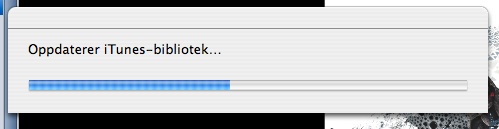
During this time I'll have to wait. Much longer than I appreciate. iTunes does this every time I switch machine, and it won't play any music while I wait. On a Lamp Mac with latest Tiger it now uses 10-15 minutes for this update! On the iBook with latest Tiger, it's about 5 min. And on an Intel Mac Mini witha latest Snow Leopard it's a little less. These figures represent a major obstactle to using iTunes with a network disk music library. It's bad!
Then goes on with this "getting information about non stop playing" (*1):
.

During this much longer period I am able to play, but it still is annoying. This second phase is new to recent versions of iTunes (April 2010).
I think this is done after iTunes updates its data base. But I am sure that it is triggered when I swap between Tiger and Snow Leopard playing. Observe that our iTunes library is on a shared network disk, and only one instance of iTunes will ever run.
Update: If I try to stop iTunes while this is running it tells me "processing album pictures" (*2). This perhaps gives a hint of what's going on.
(*1) The Norwegian text is "Finner informasjon om oppholdsfri avspilling" - "Getting information about non-stop playing". A comment (below, thanks Hallvard!) informs me that this is "Gapless Playback" in English.
(*2) The Norwegian text is "iTunes behandler albumbilder. Er du sikker på at du vil avslutte iTunes nå?"
Filed to http://www.apple.com/feedback/iphone.html
History
I will keep you posted for any interesting things I may experience, or any news that may cross my way. However, the reference above would probably outdate this post fast! So, go there, as I could not and will not mirror it. Updated 25Sept2010.
January 2013: This single blog note will take over sevaral of my earlier blogs: http://www.teigfam.net/oyvind/home/technology/050-sound-on-sound-and-picture/
January 2013: This single blog note will take over sevaral of my earlier blogs: http://www.teigfam.net/oyvind/home/technology/050-sound-on-sound-and-picture/
Subscribe to:
Posts (Atom)
Popular Posts
-
This note is updated at my new blog space only, blog note http://www.teigfam.net/oyvind/home/technology/050-sound-on-sound-and-picture/ ...
-
Canal Digital og hjemmenett ("bredbånd") Dette er et lite notat om hvordan du kan konfigurere ruteren din dersom du får internett ...
-
Please observe that this note, even if started on July 20, 2009 has been extended with several sub-posts that are being continuously updat...
-
10May2021: Moved to https://www.teigfam.net/oyvind/home/older-blog-notes/


Øyvind Teig

- aclassifier
- Trondheim, Norway
All new blogs and new home page start at
https://www.teigfam.net/oyvind/home
Overview of old blog notes here
My technology blog was at
https://oyvteig.blogspot.com
and my handicraft blog was at
https://oyvteig-2.blogspot.com
PS: just call me "Oyvind"